AnythingLLM on Linux
Tested on Kubuntu 24.04 LTS. This guide is expected to work on other Ubuntu-based distributions and most Debian-based Linux systems.
Generate an API Key
Follow the steps described in the "Inference" tab above to create an API key.
Install AnythingLLM
Create a directory for the application:
mkdir -p ~/Applications/AnythingLLM
Navigate into it:
cd ~/Applications/AnythingLLM
Download the installer:
curl -fsSL https://cdn.anythingllm.com/latest/installer.sh -o installer.sh
Make it executable:
chmod +x installer.sh
Tell the installer to install into this directory:
export ANYTHING_LLM_INSTALL_DIR="$HOME/Applications/AnythingLLM"
Run the installer:
./installer.sh
The installer will:
- Download AnythingLLM Desktop
- Download its bundled Ollama engine
- Create a desktop launcher
- Ask to create an AppArmor profile
When prompted to create the AppArmor profile, answer y and enter your sudo password.
Installation Locations
AnythingLLM stores its files in the following locations:
| Purpose | Location |
|---|---|
| Application | ~/Applications/AnythingLLM/ |
| Configuration & user data | ~/.config/anythingllm-desktop/ |
| Preferences | ~/.config/anythingllm-desktop/config.json |
| Database | ~/.config/anythingllm-desktop/storage/anythingllm.db |
| Workspaces, chats, embeddings & storage | ~/.config/anythingllm-desktop/storage/ |
| Bundled Ollama engine (if used) | ~/.config/anythingllm-desktop/storage/engines/ollama/ |
Starting AnythingLLM
After installation, you can launch AnythingLLM:
- From your application menu, or
- From the terminal:
~/Applications/AnythingLLM/AnythingLLMDesktop.AppImage
Configure AnythingLLM
Launch the application and click Get Started.
Manual Setup
On the setup screen, you can either download a local language model or connect to an external provider.
For the TI Inference Services:
- Select Manual Setup
- Search for Generic
- Select Generic OpenAI
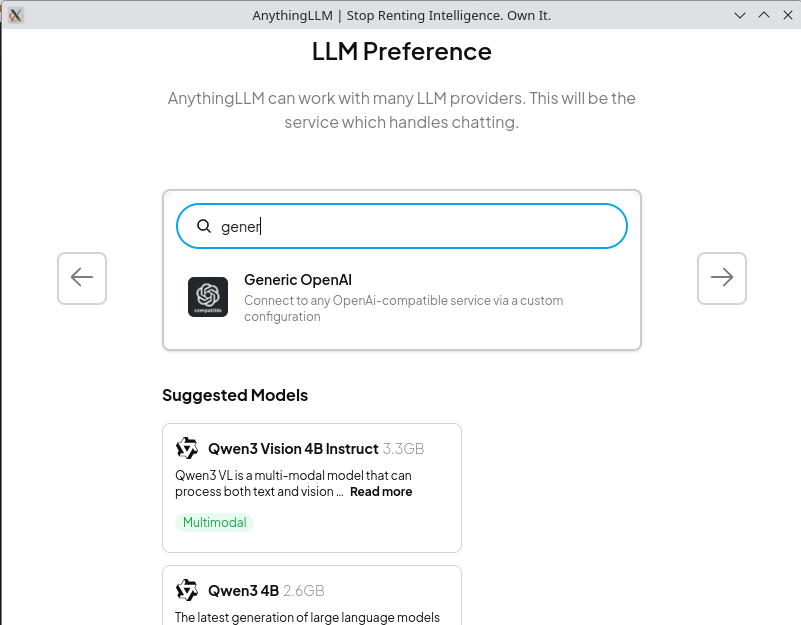
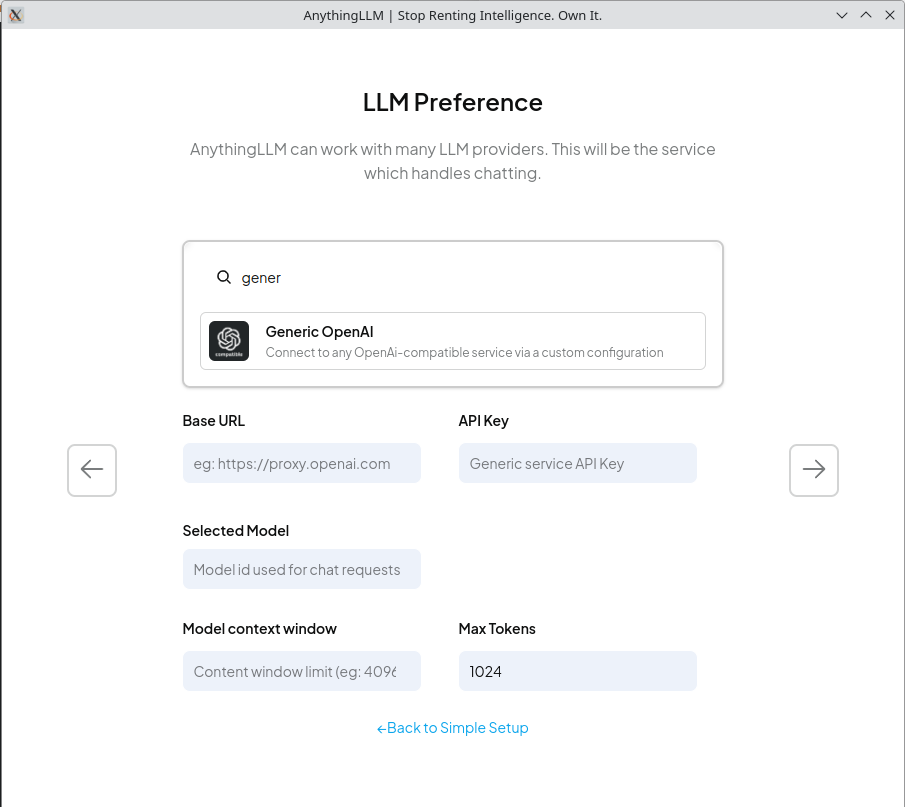
Generic OpenAI
Generic OpenAI does not mean the models come from OpenAI. It simply indicates that the provider exposes an OpenAI-compatible API, allowing AnythingLLM to connect to the models using the same request/response format as OpenAI.
Configure the TI Inference Services
Enter the following values:
| Setting | Value |
|---|---|
| Base URL | https://inference.mlmp.ti.bfh.ch/api/v1 |
| Chat Model | gpt-oss:120b |
| Model Context Window | 4096 |
| Max Tokens | 1024 |
| API Key | The API key generated earlier |
Click the right arrow to continue.
On the next screen, click the right arrow again to confirm.
Final Steps
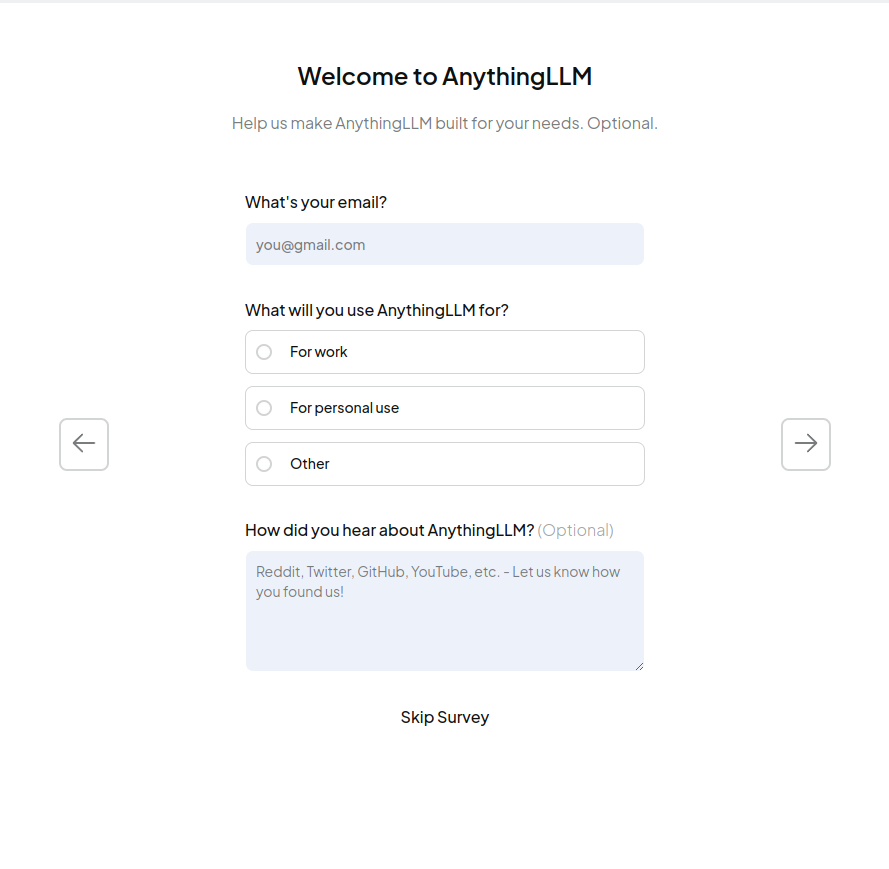
When prompted:
- Click Skip Survey
- Open Privacy & Data
- Disable Anonymous Telemetry Enabled
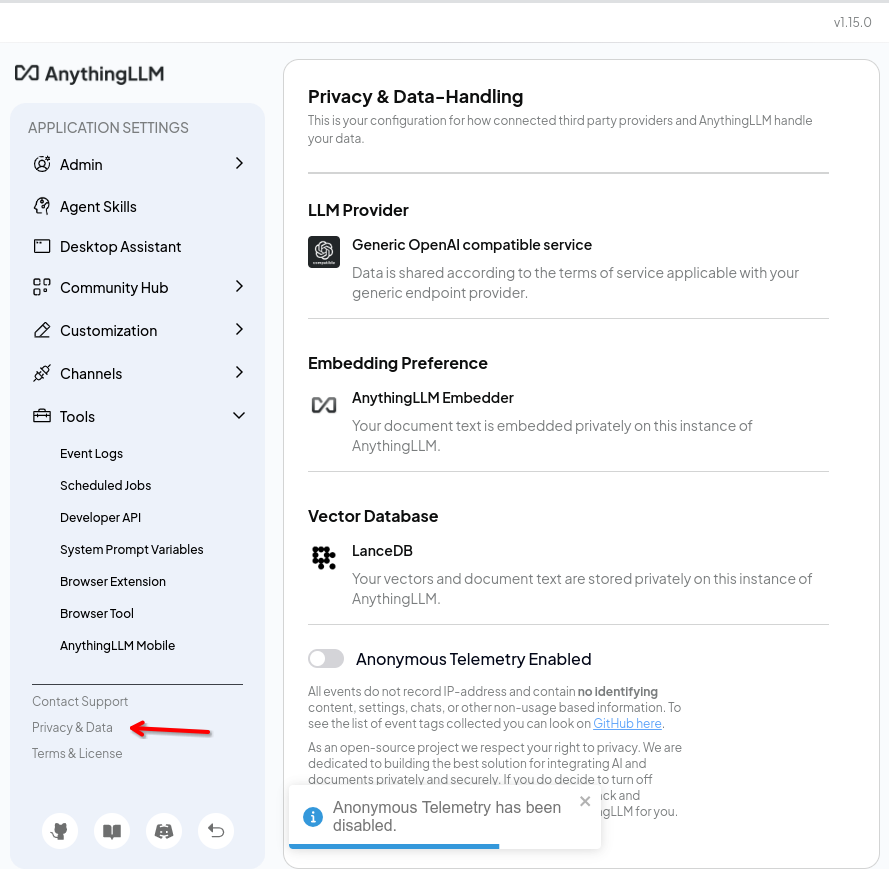
AnythingLLM is now configured to use the TI Inference Services. You can create workspaces and start chatting with the selected model immediately.